The T2M Pilot 6T 2.4Ghz radio is specially optimized for RC trucks. This radio control unit features 6 proportional channels (4 digital proportional channels + 2 auxiliary channels). The transmitter is fully configurable using the PilotT6 utility, which can be downloaded free of charge from this page. Using this utility, you can set the desired values for Dual Rate, channel reversers, limit switches, sub-trim and mix programming.
This radio is fully compatible with all TAMIYA MFC units.
Features :
Receiver power supply: 4.5V - 6.5V
Radio power supply: 9.6V (AA batteries)
Modulation: FHSS
Dual Rate function: CH1, CH2, CH4
Channel reversers: CH1 to CH6
Limit switches CH1 to CH6
Sub trim -120 to +120: CH1 to CH6
Operating mode: 1/2/3/4 mode without dismantling the radio
The PilotT6.zip file should be in your download folder. Right-click on the Zip file. A vertical menu will open, select the 'Extract All' feature, and extract the data from the Zip file to your desktop. At this point, you should find a PilotT6 folder on your desktop. Open this folder.
2.-Installation remote control drivers:
Before launching the installation via the t6config.exe executable, you need to install the remote control drivers. Open the 'Windows_2K_XP_S2K3_Vista' folder, then run "CP210xVCPInstaller.exe". When this is complete, install the 't6config.exe' application.
3.- Installation of the utility:
Simply double-click on 't6config.exe' to install the utility. When installation is complete, a T6config icon appears on the desktop. You're done.
Transmitter configuration :
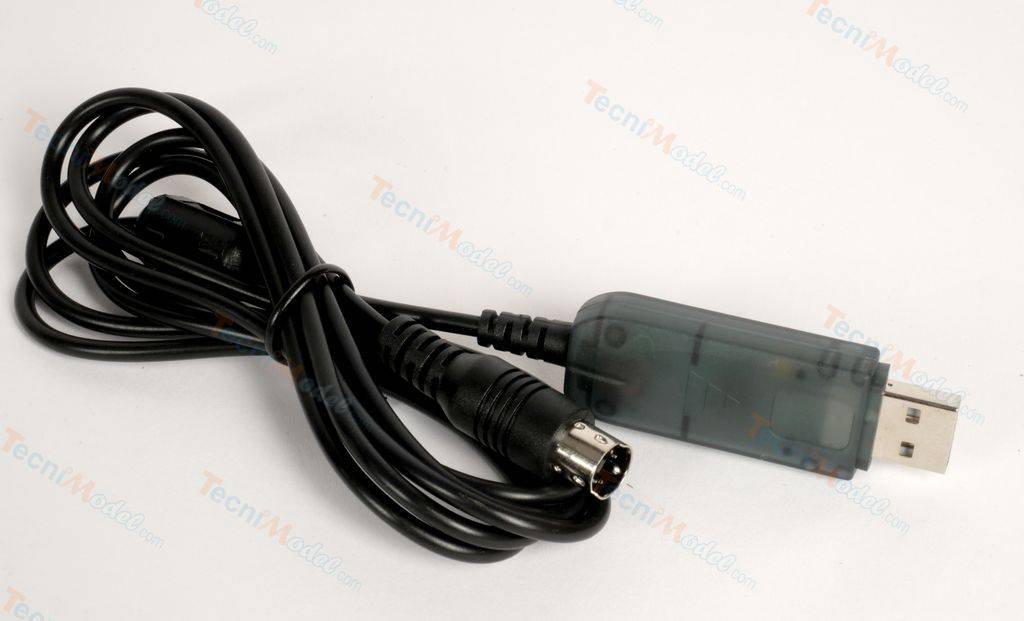
Connect the cable to the transmitter, then to a USB port. When the transmitter is recognized by the computer, a red LED lights up on the USB socket of the cable. If the LED does not light up, you need to install the transmitter drivers (see step 2) Launch the utility by double-clicking on the T6config icon on the desktop.
To learn how to use this utility, please refer to the instructions supplied with the transmitter, pages 6 to 13.
Other customers also bought :
In Stock
Tamiya TS29 Satin Black
€8.30
In Stock
Tamiya TS29 Satin Black
€8.30
In Stock
Multi-Function Set MFC-03 Tamiya European Sound 56523
€359.95
In Stock
Multi-Function Set MFC-03 Tamiya European Sound 56523
€359.95
In Stock
Tamiya TS89 Blue Pearl Blue Red Bull
€9.35
In Stock
Tamiya TS89 Blue Pearl Blue Red Bull
€9.35
In Stock
2 Spring couplings Ø3.17 / Ø4mm
€8.95
In Stock
2 Spring couplings Ø3.17 / Ø4mm
€8.95
In stock
HobbyWing 1060 Quicrun Lipo 2S and 3S compatible ESC with Tamiya connector
€37.95
In stock
HobbyWing 1060 Quicrun Lipo 2S and 3S compatible ESC with Tamiya connector
€37.95
In Stock
Painting Lexan Tamiya PS34 RED FERRARI 100ml 86034
€8.90
In Stock
Painting Lexan Tamiya PS34 RED FERRARI 100ml 86034
€8.90
In stock
M4 Ø4mm 255mm propeller shaft with 205mm Ø8mm tube
€9.70
In stock
M4 Ø4mm 255mm propeller shaft with 205mm Ø8mm tube